JenBoardv0.0.1ANDROID

JenBoard — Your Jenkins Dashboard in Your Pocket

A DevOps monitoring app for managing multiple Jenkins servers in one place — trigger builds, check logs, and track stat…

What It Does

JenBoard is a CI/CD monitoring app that lets you manage multiple Jenkins servers at once, right from your phone or tablet. Check build status in real time, and trigger or stop builds on the spot when you need to — so you never miss a deployment while you're away from your desk. It's built for DevOps and QA engineers who juggle Jenkins environments across internal systems, client projects, and open source.
Key Features

  • Multi-site management — Register multiple Jenkins servers and switch between them with a single tap. URLs, credentials, and API tokens are encrypted in your OS's secure storage (Keychain/EncryptedSharedPreferences), so you can move between servers with confidence.
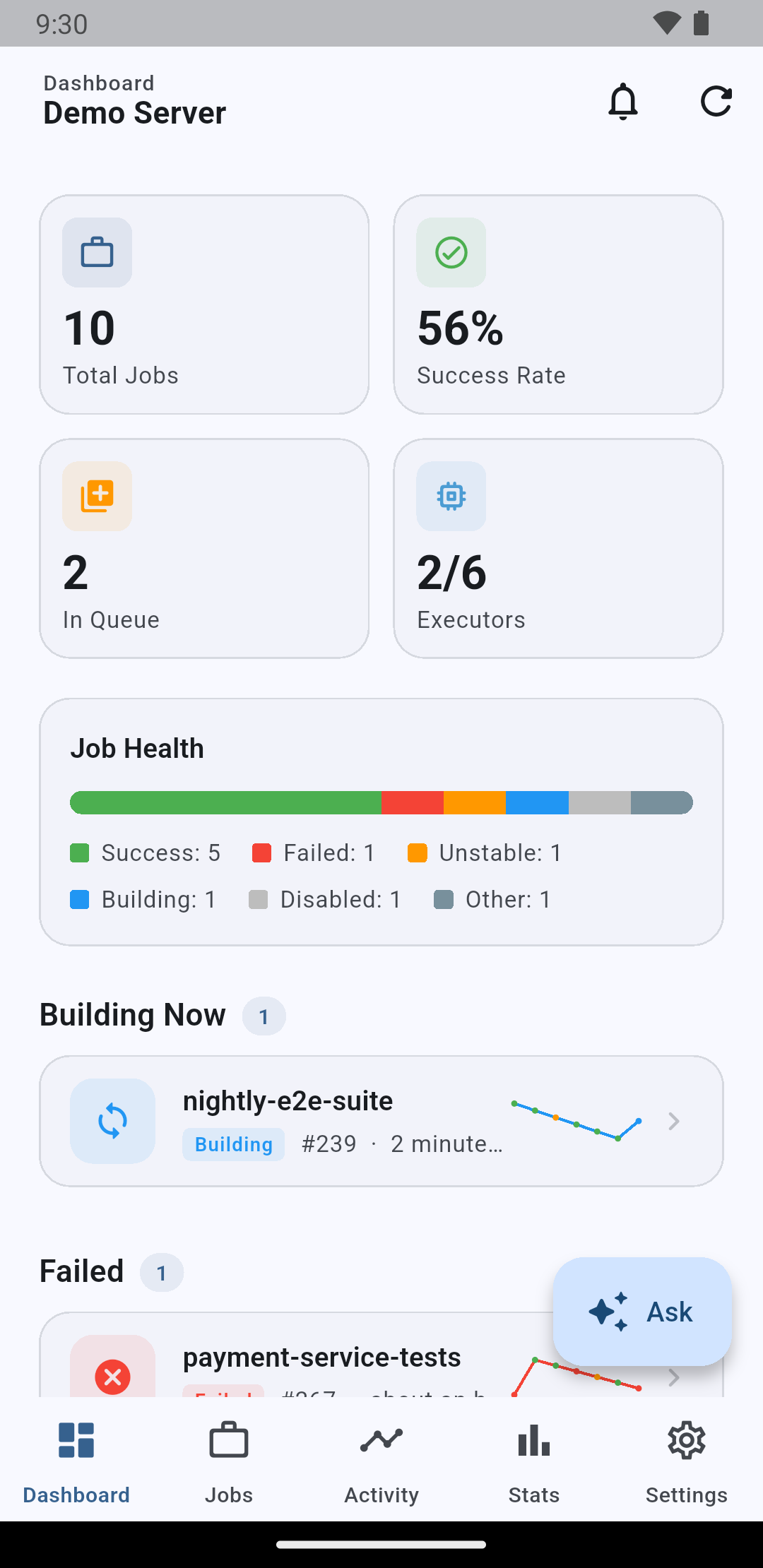
  • At-a-glance dashboard — See all your Job statuses (success/failed/unstable/disabled), executor usage, and queued builds on one screen. Pull to refresh anytime for the latest status.
  • Job details and build triggers — Jump straight from the Job list to details and build history. Trigger parameterized Jobs through a simple dialog, and stop running builds, enable/disable Jobs, or toggle SCM polling — all from the app.
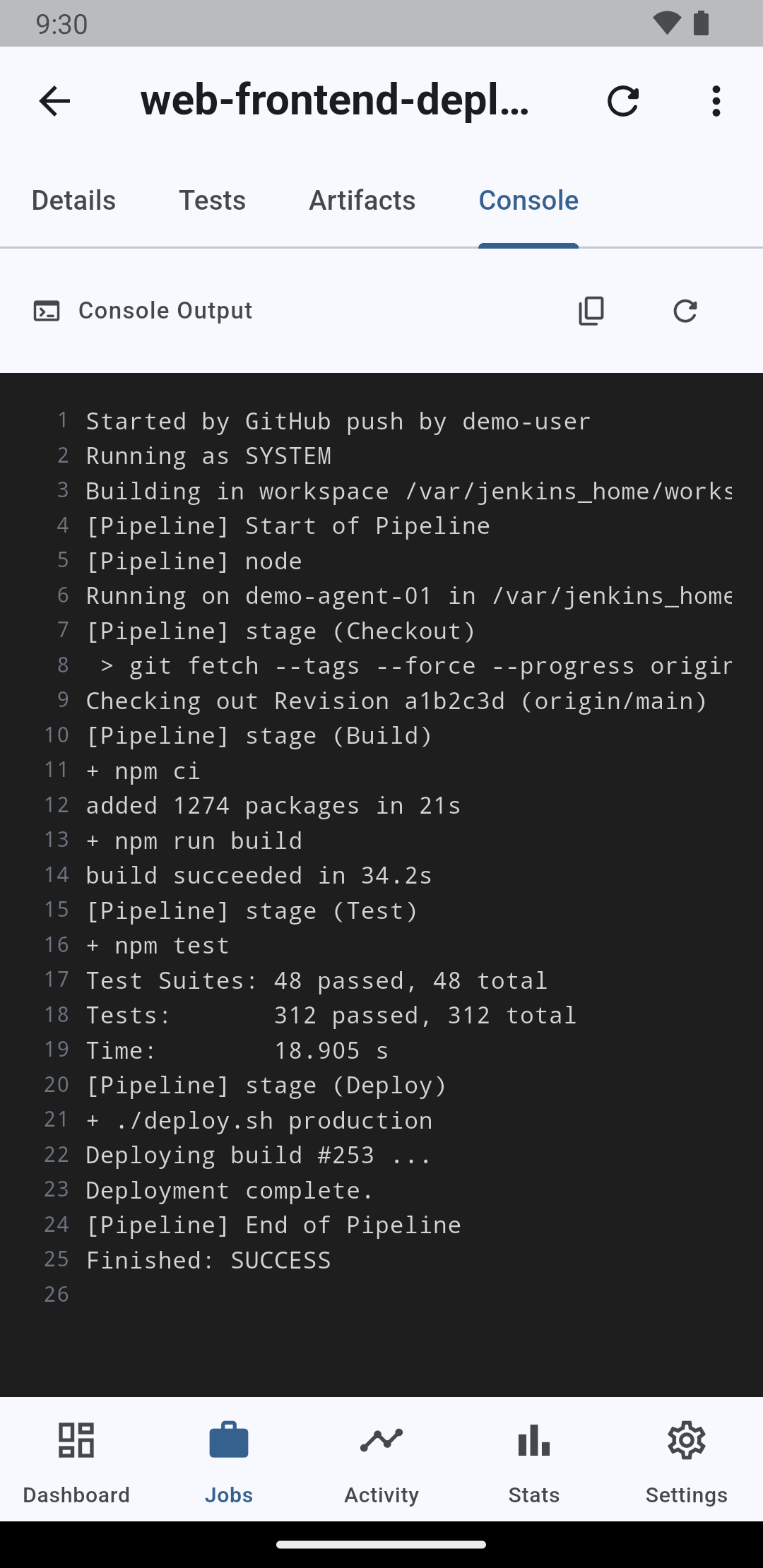
  • Live console logs — Watch build progress unfold with logs streaming every 2 seconds while a build runs, and search or share the full log once it's finished.
  • Artifacts & test reports — Download build artifacts, and view JUnit test report pass/fail/skip stats and failure stack traces directly in the app.
  • Build comparison and stats — Compare two builds of the same Job side by side (duration, result, changes), and track weekly/monthly success rates, average build time, and your top 5 most frequent failures in charts.
  • Favorites and home screen widget — Pin the Jobs you check most to the top with favorites, and see key Job statuses right from your home screen widget without opening the app. Tap the widget to jump straight to that Job's details.
01

Dashboard

The dashboard sums up the whole server the moment you open the app — total jobs, success rate, queue and executor usage. A job-health bar and live sections for building and failed jobs tell you instantly where attention is needed.

Dashboard
02

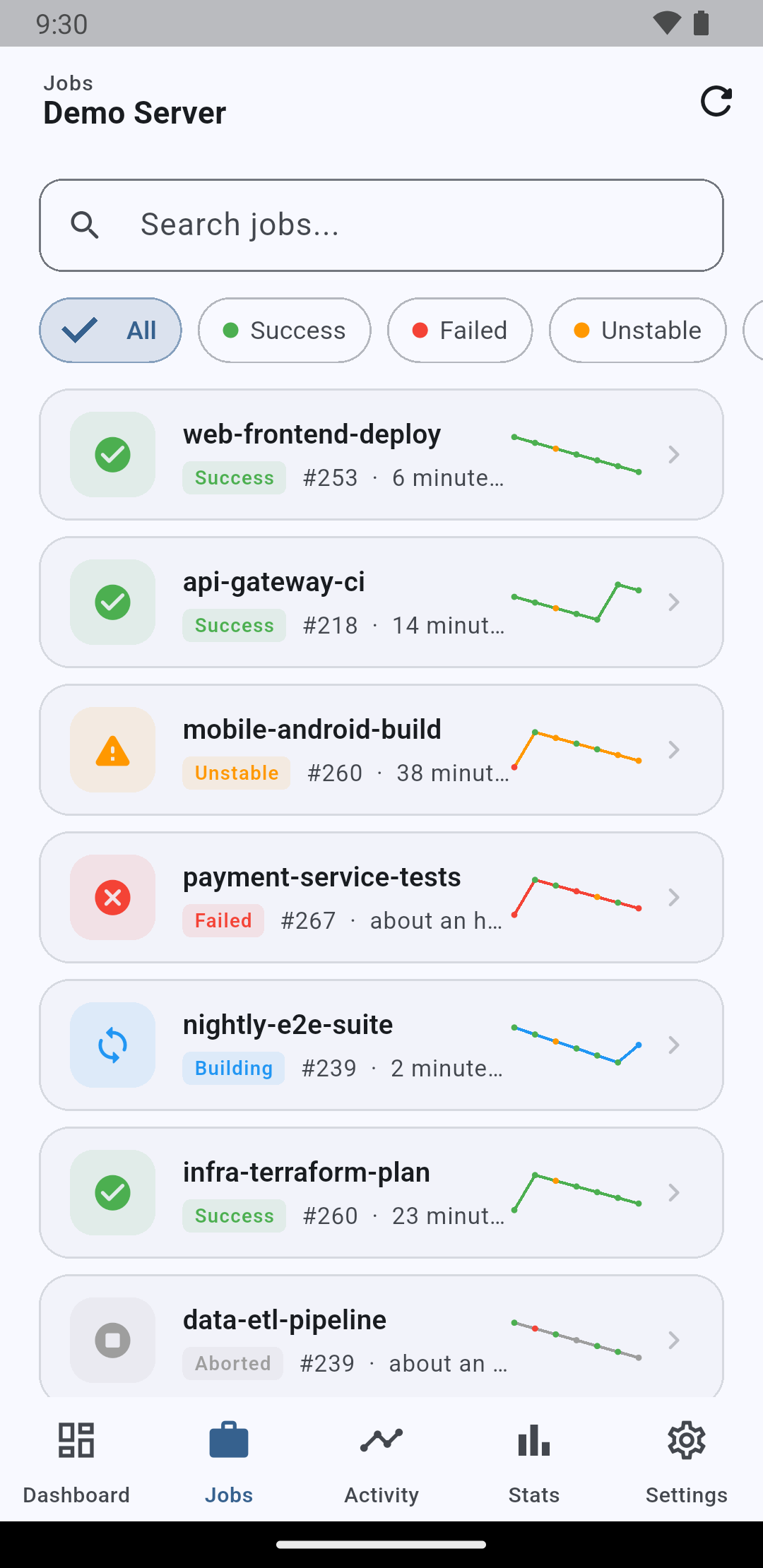
Jobs

Every job on the server in one list, with status filters and instant search. Each row shows the latest build number, when it ran and a trend sparkline, so you can spot a flaky job before opening it.

Jobs
03

Job detail

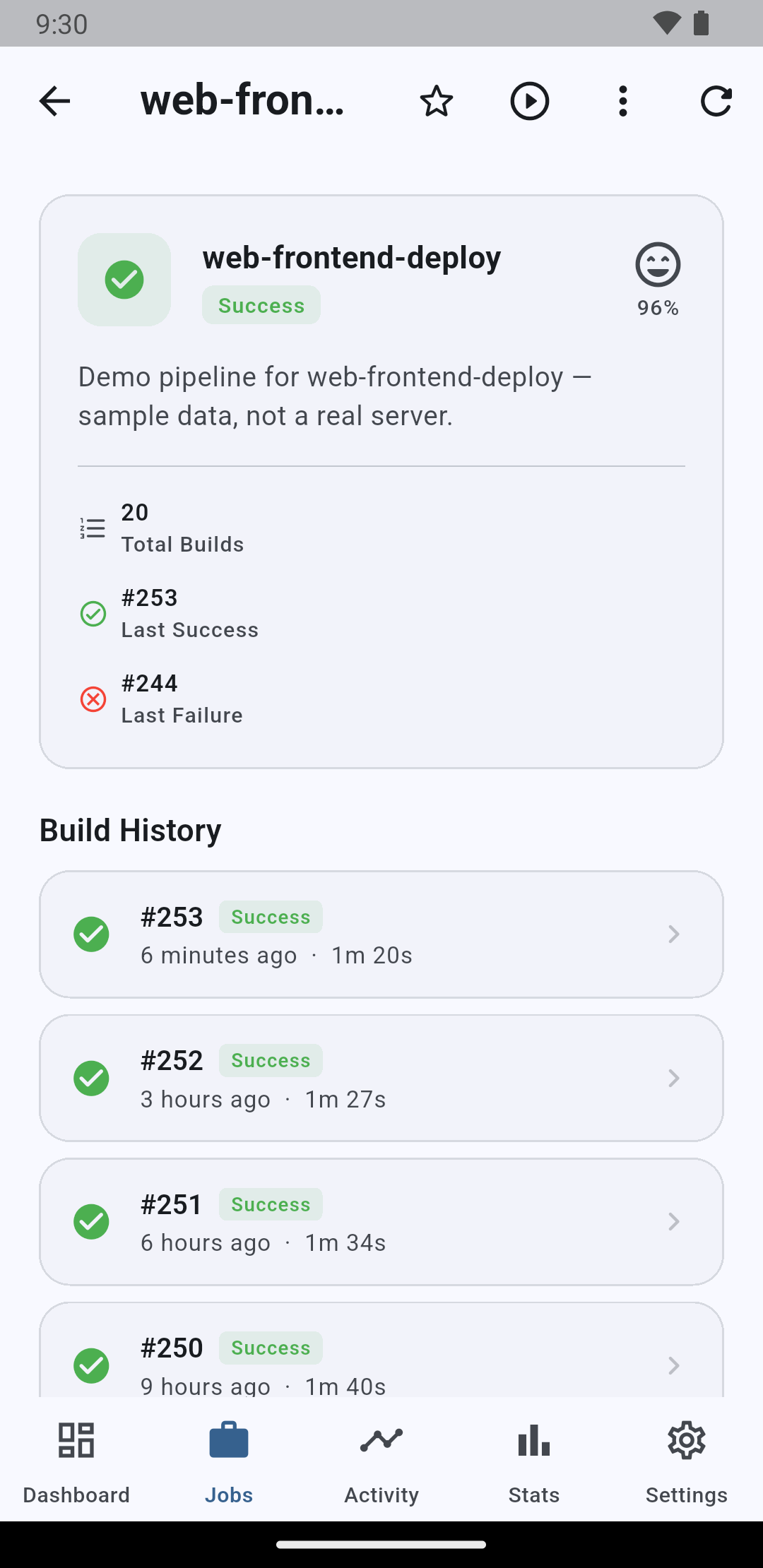
Open a job to see its health score, description and full build history. Trigger a new build (with parameters if the job needs them), stop a running one, or enable/disable the job — right from your phone.

Job detail
04

Console log

While a build is running the console output streams in near real time, so you can follow a deploy from anywhere. Finished builds keep the full log, ready to search or share.

Console log
05

Build statistics

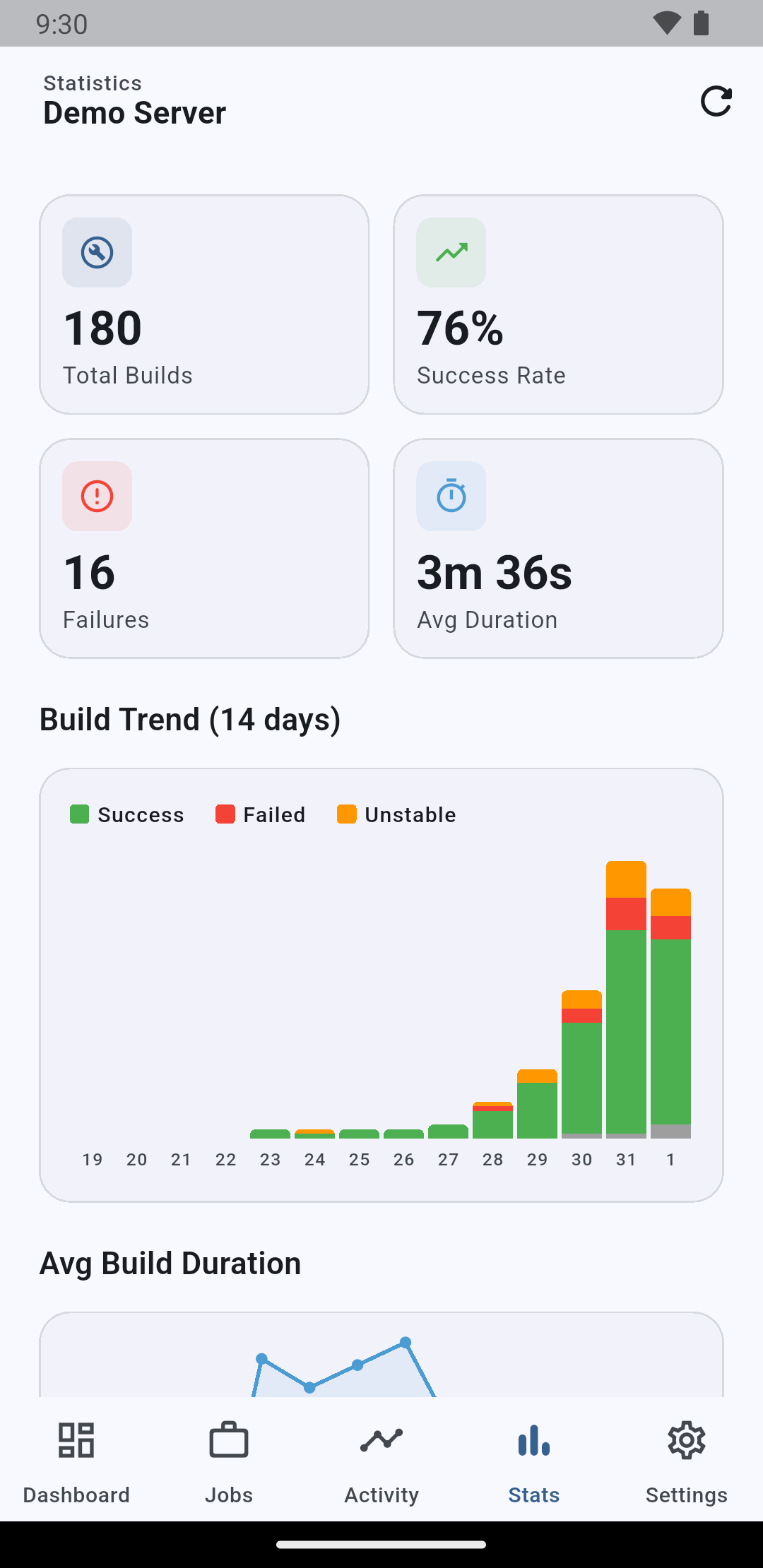
Success rate, total builds and average duration at the top, then a 14-day build trend and duration charts below. Great for spotting slowdowns and failure streaks over time.

Build statistics
06

Activity

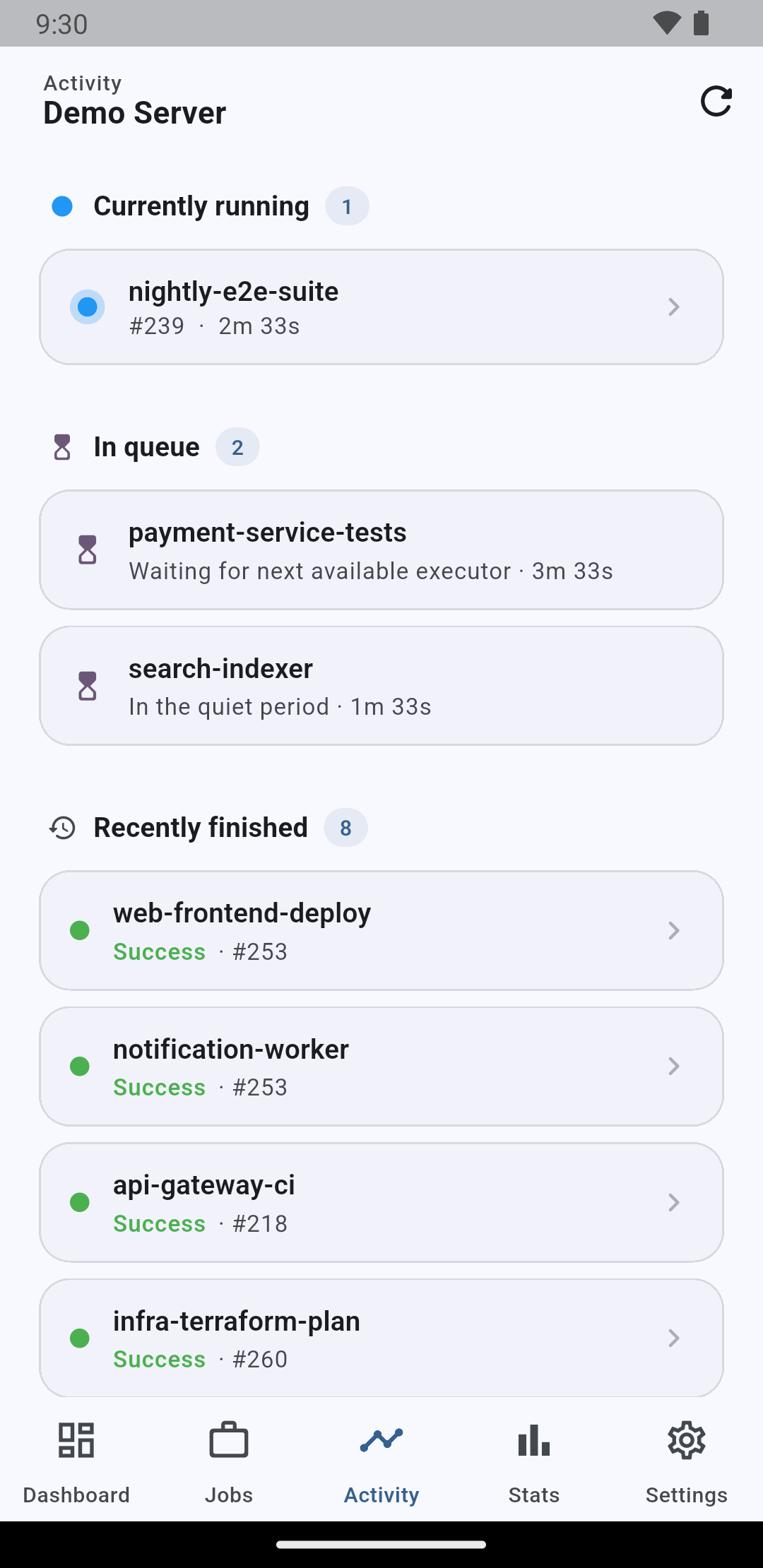
A live feed of what the server is doing right now — builds in progress, items waiting in the queue and recently finished runs, each one tap away from its detail screen.

Activity

What's New in This Version

  • This is the initial release — JenBoard has passed store review and is now live.

Get Started Now

Check your deployment status from your pocket, whether you're commuting or grabbing dinner with the team. With JenBoard, you can manage multiple Jenkins servers from a single screen. Download it now and register your first server.

JenkinsCI/CDDevOpsMobile App